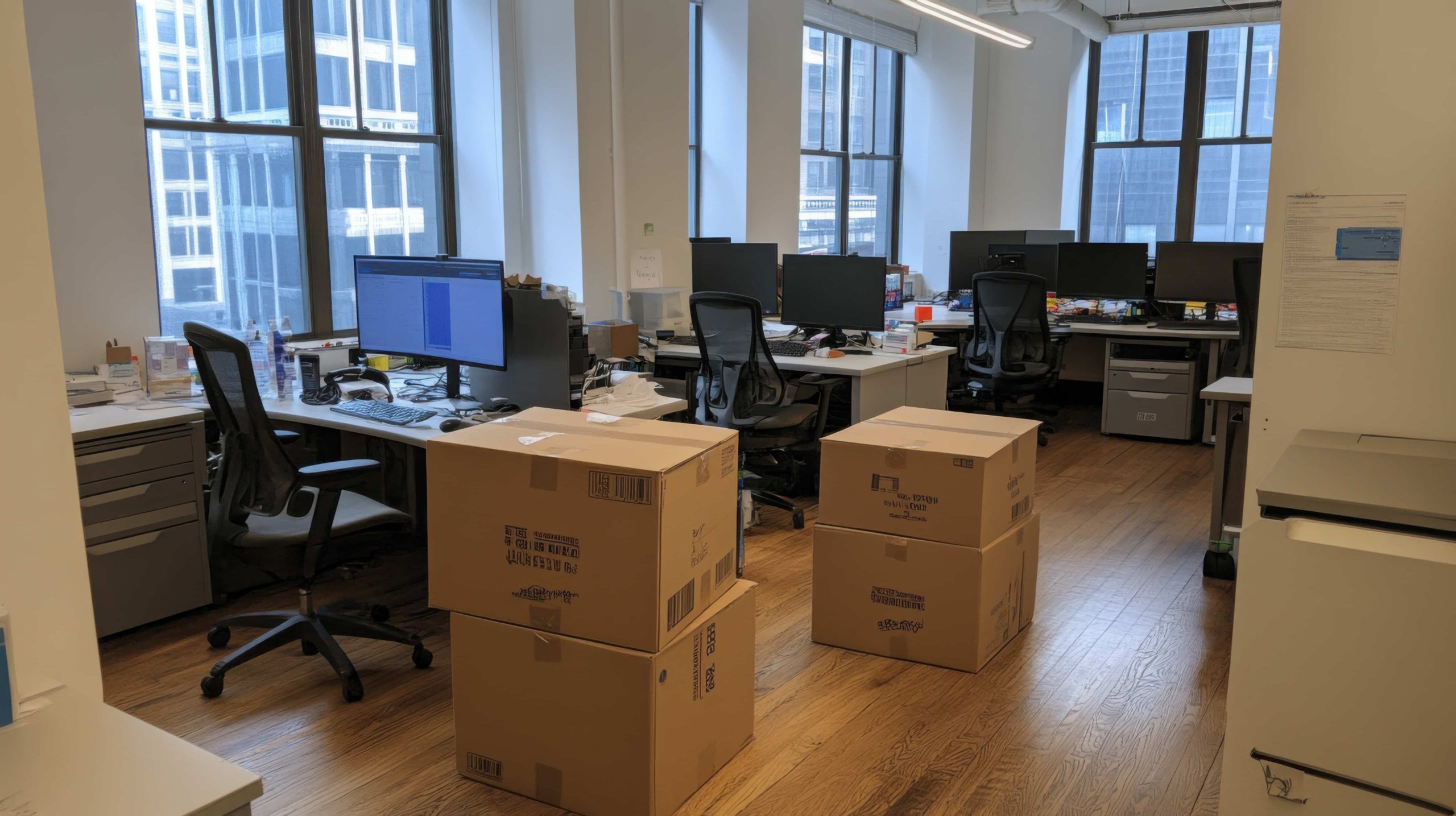
On Friday afternoon the computers shut down in one office, and on Monday at nine they have to switch on in another. In between, dozens of machines, monitors, cables and the odd server change buildings. That is an IT equipment move in a nutshell, and it is why it leaves no room for improvisation: any mistake shows up in Monday’s operations.
This article focuses on the technology side of an office move: how to prepare workstations, protect data, pack the equipment and organise moving day. Storing archives or furniture that is not going to the new premises is a separate matter, and we cover it elsewhere.
Table of contents
- What an IT equipment move involves for a company
- Inventory and labelling: the work that starts weeks ahead
- Backups and data protection
- How to pack computers, monitors and servers
- Moving day: loading order and time windows
- Arriving at the new office and checking workstations
- A smooth technology move
What an IT equipment move involves for a company
An IT equipment move is the process of disconnecting, protecting, transporting and relocating a company’s technology, from computers and monitors to printers, routers or servers, so that every workstation can get back to work at the new location with as little downtime as possible.
It differs from a standard office move in two ways. The first is fragility: a hard drive or a screen does not tolerate knocks the way a chair does. The second is data, because inside those machines travel client records, accounting and projects the company cannot afford to lose or expose.
That is why it pays to separate responsibilities from the start. Your IT team, in-house or external, handles shutting down systems, running backups and reconnecting networks. The removals company takes care of packing, loading, transporting and placing every item where it belongs. When that line is clear, nobody assumes someone else had it covered.
Inventory and labelling: the work that starts weeks ahead
Every well-run move starts with an inventory. How many workstations are there? What does each one have: desktop tower or laptop, one screen or two, docking station, phone? What shared equipment is there, such as printers, projectors or network cabinets? That list becomes the basis for the quote and the loading plan.
From the inventory you design the labelling system. The most practical approach is to assign a code to each destination workstation and mark everything that belongs to it with that code: the machine, the screen, the peripherals box and even the cable bag. That way, whoever unloads at the new office does not have to guess anything.
The floor plan of the new premises is the other document you need finalised. If every workstation code appears on the plan, the moving team can leave each item at the right desk without asking anyone. We have seen office moves run hours over simply because the plan was decided on the day.
It is also the moment to decide what does not travel. Obsolete machines, screens no longer in use or broken printers take up space and time. Removing them beforehand lightens the technology move, although that equipment must be handled as electronic waste and, if it holds data, wiped securely.
Backups and data protection
Equipment security starts long before packing. Before disconnecting any computer, the company should have a complete, tested backup of its critical information. Tested is the key word: a backup that has never been restored is an assumption, not a guarantee.
A widely used rule in IT is the 3-2-1 rule: three copies of the data, on two different types of media, with one of them kept offsite. During a move, that offsite copy is what saves you if a server takes a knock or a drive will not boot again.
Data protection also has a legal dimension. Under Article 32 of the General Data Protection Regulation (GDPR), companies must apply appropriate technical and organisational measures to ensure the security of processing, and physically moving equipment that holds personal data is part of that processing. Documenting who handles the equipment and how it is kept secure in transit is a simple way to comply.
For computers being moved with especially sensitive information, the sensible approach is to transport them encrypted and, if the company sees fit, to move the drives or servers separately, under a stricter chain of custody.
How to pack computers, monitors and servers
Each type of equipment calls for a different kind of packing. Desktop towers travel best in boxes with padding that stops any internal movement, always standing upright. Laptops should be closed and in padded sleeves, ideally with their charger in the same bag.
Monitors are the weak point of any office move. They should stand upright, with the screen surface protected and no weight on top. If you still have the original boxes, use them; if not, purpose-made monitor packaging greatly reduces the risk of breakage.
For parts sensitive to static electricity, such as drives or internal components, use antistatic bags. Cables deserve their own system: gathered, labelled by workstation and stored in sealed bags. Nobody wants to spend Monday morning hunting for the power adapter of one particular laptop.
Servers and network cabinets are the most delicate case. Typically the IT team disconnects them and, depending on size, they travel in their own protected rack or dismantled into purpose-made boxes. At Mudanzas Trallero we prefer to agree on this point with whoever is responsible for systems before moving day, not during it.
Moving day: loading order and time windows
Most companies want the move to disrupt their business as little as possible, which is why many changeovers are scheduled for Friday afternoons, weekends or public holidays. The choice depends on your business: an accountancy firm and a design studio do not share the same busy periods.
In large offices, moving in phases works well. First the shared infrastructure, such as the network and printers, so the new premises are ready. Then the departments in order of priority. That way you avoid having the whole team idle at once and you catch problems with a small group first.
The van’s loading order follows its own logic too. Whatever is needed first at the destination comes off last at the origin, and vice versa. It sounds like a minor detail, but on a multi-floor move it saves plenty of needless trips with the trolleys.
Something worth sorting out in advance is access. A reserved service lift, building hours, the loading and unloading area and, if needed, permits to occupy the street. All of that is agreed beforehand, because on moving day there is no room to negotiate with a building’s management.
Arriving at the new office and checking workstations
With good labelling, unloading is almost mechanical: each box goes to its workstation according to the plan. From there the IT team steps back in, connecting, powering up and checking that every computer boots, has network access and can reach its applications.
A practice that works very well is asking each person to check their own workstation first thing on the first working day and report any issues through a single channel. That is far faster than discovering faults over the course of the week.
There is one check worth bringing forward to the week before: visiting the new office with the plan in hand and confirming that each workstation has the power and network sockets where they are expected. If the new site’s internet connection is not live and tested before the move, the rest of the planning loses much of its value.
The connection depends on the provider, not the movers, and it is usually what delays the return to normal the most.
Keep the purpose-made monitor and server packaging for a few days too. If something needs to be returned or relocated, having it to hand saves you from improvising all over again.
A smooth technology move
An IT equipment move goes well when you work from three finalised documents: the inventory, the new office floor plan and the tested backup. With those three pieces in place, the day of the change becomes a matter of execution rather than a string of last-minute decisions.
At Mudanzas Trallero we plan corporate moves alongside the people who know the day-to-day operations, so we can tailor dates, phases and packing to how your business actually runs. If you are preparing to relocate, tell us how many workstations you have and what sensitive equipment is in your office.